Hey there, if you’re here because you’ve got a computer cable and you’re wondering “wait, is this thing actually delivering the bandwidth it says it does?”, you’re not alone. I run a computer cable supply business, and trust me, this is one of the most common questions I get from small biz owners, streamers, even casual gamers who just dropped $50 on a “high-speed” cable online and realized their downloads are still crawling. Let’s break this down like we’re chatting over a coffee, no jargon overload—just real, actionable steps that actually work. Computer Cables
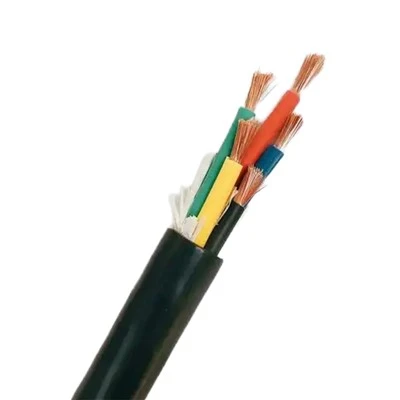
First off, let’s get one thing straight: checking cable bandwidth isn’t some voodoo science you need a PhD for. It’s just making sure the cable you’ve got (or are thinking of buying) is hitting the speeds it’s rated for, because not all cables are created equal. I’ve seen guys grab a cheap Cat6 cable from a gas station that’s actually just a shoddy Cat5e wrapped in a fancy label, and they’re wondering why their 1Gbps plan maxes out at 300Mbps. So let’s start with the basics before we jump into tools.
First step: Figure out what bandwidth you should be getting. That means knowing two things: your internet plan speed, and what your cable is rated for. For example, Cat5e tops out at 1Gbps bandwidth (at 100MHz, obviously—tech specs are weird like that), Cat6 goes up to 10Gbps at 250MHz, Cat6a is 10Gbps at 500MHz, and newer ones like Cat8 go crazy at 40Gbps for shorter runs. If your internet is only 500Mbps, a Cat5e is fine, but if you’ve got a 10Gbps fiber plan, a Cat6 might cut it for short distances (under 55 meters, for the nerds), but anything longer? You need Cat6a or better. That’s the baseline. If your cable isn’t even rated for the speed you’re paying for, that’s a problem before we even test it.
Now, how do you actually check the cable’s real bandwidth, not just the box’s lie? Let’s start with the easiest method—no extra software needed, just your computer. This is for anyone who doesn’t want to download sketchy tools from the internet. Here’s what you do: Grab your laptop or desktop, plug the cable directly into the modem (not a router, because routers can bottleneck things), and disconnect any other devices on the network. Less variables = more accurate test. Then run a speed test—wait, not just any speed test. Use something like Speedtest by Ookla, but make sure you select a server that’s close to your physical location. If you’re in Chicago, testing against a server in Miami is gonna give you lower numbers because of distance, not your cable. Run the test a few times, because one bad run could be a blip (like a second someone’s neighbor is streaming 4K).
But wait—how do you tell if a slow result is the cable or your modem/router? Easy: Swap the cable with one you know works (like a brand-new, reputable one from a trusted brand, not the random box you bought last week) and run the same test. If the speeds jump up to what you’re paying for, boom—your old cable is the problem. If it’s still slow? That’s your modem or your internet company’s fault, not the cable. I’ve had customers come to me saying their cable is bad, and it turned out their router was 5 years old and couldn’t handle 1Gbps. So swapping is key here.
Okay, but what if you want to test the cable itself, not just over the internet? Like, if you’re setting up a local network for file transfers, not just internet? For that, you can do a simple local speed test. On Windows, open Command Prompt (just search “cmd” in the start menu) and type “ping google.com -t” to get a baseline of latency, but for bandwidth, use something like TeraCopy—transfer a big file (like a 10GB video or ISO) between two computers plugged into the same cable. If it’s transferring at way less than the rated speed, your cable is holding you back. For Mac users, you can use the built-in Network Utility to run a local throughput test, or just use a tool like AJA System Test if you want a more precise number.
Now, what about tools specifically made for testing cable bandwidth? These are the ones us cable suppliers actually have in our warehouses, because we test every bulk run before it leaves our doors. Let’s keep them simple, no fancy pro gear unless you need it. For home users, there are affordable handheld testers like the Fluke LinkSprinter—wait, no, Fluke is a bit pricey, but there are cheaper alternatives like the Tripp Lite Network Cable Tester that costs under $50. These little guys plug into both ends of the cable, and they’ll tell you not just bandwidth, but if there are any breaks, crosswires, or other defects that are killing speed. That’s way more accurate than a speed test because it’s testing the cable directly, not the whole network.
Wait, but let’s talk about common mistakes people make here. First: Length matters. A Cat6 cable rated for 10Gbps only works up to 55 meters. If you run a 100-meter Cat6 cable, it’ll drop to 1Gbps, same as Cat5e. If you’re going long distances, you need to make sure the cable is rated for that length. Second: Shielding. If you’re running the cable near power lines or other electronics, unshielded cables (UTP) can get interference, which kills bandwidth. So if your cable is running through a wall next to an AC unit, make sure it’s STP (shielded twisted pair) instead of UTP—those will hold up better. Third: Don’t use old cables. A Cat5 cable from 20 years ago? It’s only 10/100Mbps, so even if your internet is 1Gbps, that cable can’t handle it. I see this all the time—guys digging up old cables from when their house was built in 2000 and wondering why they can’t get fast internet.
Another thing: If you’re buying a new cable, how do you check its bandwidth before even installing it? Look at the labeling on the cable itself, not just the box. Some cheap brands print “Cat6” on the box, but the actual cable has no markings. Real cables will have the category printed along the length every foot or so, plus the manufacturer, bandwidth rating, and maybe the MHz (like 250MHz for Cat6). If there’s no printing on the cable? It’s probably a knockoff, and you can’t trust its bandwidth. I always tell my customers: if you buy a cable from a random online seller for $2 that says “10Gbps”, it’s not gonna deliver. Do yourself a favor and go for a reputable brand, or ask a supplier like me for a recommendation.
Wait, let’s do a quick example to make this real. Last month, a guy came to me saying he just paid for a 10Gbps fiber plan, but his downloads were only hitting 700Mbps. He’d bought a Cat6 cable from a big-box store. We tested his current cable with our tester, and it turned out to be a cheap Cat5e labeled as Cat6. He swapped it for our Cat6a cable, and his speeds jumped to 9.2Gbps—exactly what his plan can do. That’s the difference between a cable that’s rated and a cable that’s just marked to look good.
Now, if you’re doing this for business—like setting up a office network with 20+ computers—you’ll want a more thorough test. We use something like the Fluke DSX-5000 in our warehouse for bulk testing, which checks for bandwidth, crosstalk, impedance, all that stuff. But for home users or small setups, the steps I mentioned earlier work perfectly. Just remember to eliminate variables: don’t test through a router, don’t have other devices streaming, use a close server for your speed test.
Wait, one more pro tip: If you’re testing a cable that’s already installed in your wall, you can use a cable locator or a tester that works with wall ports. Just plug one end into the wall port and the other into your computer or a testing tool, and you’ll get the cable’s performance without pulling it out of the wall. That saves so much time—no more tearing apart drywall because you thought a cable was bad.
Now, let’s talk about when you should actually reach out to a supplier (wink, that’s me). If you’ve tested your cable and it’s not hitting the bandwidth it should, or if you’re building a new network and need cables that will definitely deliver on their rated speed, don’t guess. I’ve seen too many people waste money on cheap cables that don’t work, then have to replace them 6 months later. We test every single cable we sell, so you can trust that what you get is actually rated for the bandwidth it says it is. Whether you need a 1-foot cable for your desktop, a 50-foot run for your living room, or bulk cables for an entire office, we’ve got you covered. Just reach out to our team to chat about your specific needs—we don’t do pushy sales, we just give honest advice and high-quality cables that work.
Wait, let’s wrap this up with a quick recap so you don’t forget anything. First, check the cable’s rating (Cat5e = 1Gbps, Cat6 = up to 10Gbps short runs, Cat6a+ = longer 10Gbps+ runs). Second, eliminate network variables to test: plug directly into modem, disconnect other devices, use a local test for file transfers. Third, swap with a known good cable to confirm the bad one is the issue. Fourth, for precise testing, use a cheap cable tester if you’re doing this a lot. Fifth, always buy from a reputable supplier so you don’t get ripped off by fake labeled cables.
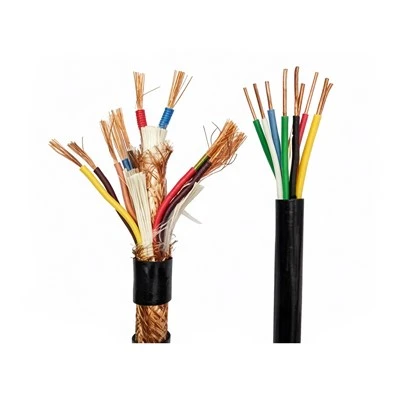
If you’ve got more questions about checking cable bandwidth, or you need the real deal cables that will actually hit their rated speed, just get in touch with us. We’re here to help whether you’re a gamer, a small biz owner, or someone who just wants their Zoom calls to stop buffering. No jargon, no hassle, just good cables that work.
Specialty Cables References:
- "Ethernet Cable Category Specifications", TIA-568-C.2 Standard, Telecommunications Industry Association
- "Bandwidth Testing for Copper Ethernet Cables", Fluke Networks Technical Note
- "How to Run Accurate Network Speed Tests", Ookla Support Documentation
- "Choosing the Right Ethernet Cable for Your Network", Computer Cable & Connectivity Association (CCCA) Guide
Anhui Yuantong Cable Co., Ltd.
As one of the most professional computer cables manufacturers and suppliers in China, we offer a wide range of cables with superior quality. Please feel free to wholesale bulk customized computer cables from our factory. Also, pricelist is available.
Address: Yongfeng Industrial Park, Tianchang City, Anhui Province
E-mail: ahytcable@126.com
WebSite: https://www.yuantongcable.net/
